Android App Permissions: Which Ones Should You Allow or Deny?
AI-summarised brief · reviewed before publication
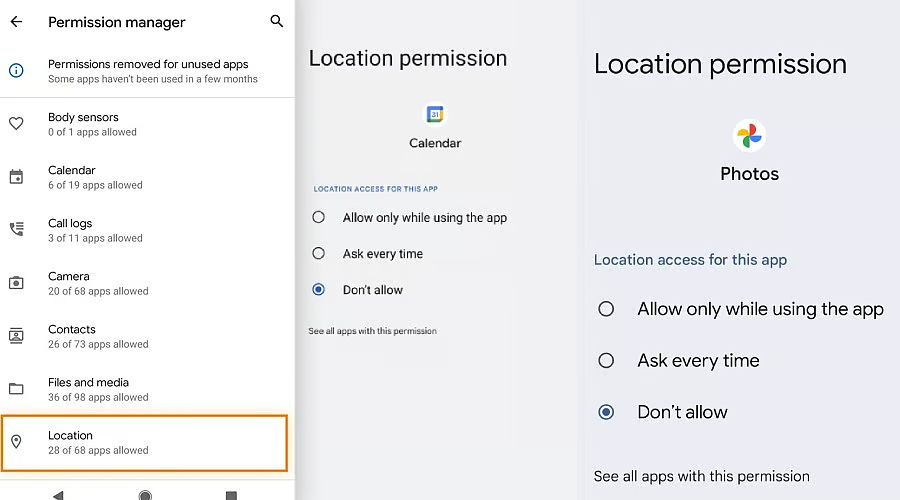
Android permissions grant applications access to sensitive user data, including location, camera, microphone, contacts, and files. Users are advised to critically evaluate permission requests against an app’s intended purpose, denying access that seems unnecessary. The operating system categorizes permissions into "normal" types, granted automatically, and "dangerous" types, which require explicit user confirmation. Granting a dangerous permission often unlocks related access within that group, potentially exposing more data than anticipated. Android’s Permission Manager allows users to review and revoke access by category. Additionally, settings exist to automatically remove permissions from unused applications. Habitually tapping "Allow" without scrutiny compromises privacy and security. Understanding these mechanisms empowers users to protect personal information stored on their devices, such as photos, messages, and banking details. By managing permissions effectively, individuals maintain control over their digital footprint and reduce the risk of unauthorized data sharing with third-party developers or strangers.
💡 Why It Matters
- · Modern smartphones store vast amounts of intimate data, making unchecked permissions a direct gateway for privacy breaches.
- · Granting unnecessary access transforms harmless apps into potential surveillance tools, exposing users to risks far beyond their initial intent.


![Here’s everything new in Android 17 QPR2 Beta 5 [Gallery]](https://i0.wp.com/techcapsules.com/wp-content/uploads/2026/09/article_image-4797.webp?fit=300%2C150&ssl=1)
